I wanted to add some new instruments to my Hapax and validate my old ones. I looked at the existing web based tools first, but they hadn’t been updated in a while. And as a command line nerd, I wanted something I could just run in the terminal.
So I built (with AI assistance) a few command line tools to manage hapax instrument definitions.
Using the TR-8S as an example, I gave its MIDI implementation chart PDF to Claude and asked for a definition:
Let's create a hapax instrument definition for the Roland TR-8S on port B channel 3. Here is the midi implementation: @TR-8S_MIDIImpleChart_eng03_W.pdf
It read the chart and wrote the file. Then it checked its own work with a validator and reported back:
⏺ I've written ./hapax_inst_test/TR-8S.txt. hapax validate --fw 3.21 reports 0 errors and 0 warnings.

  - Connection: TYPE DRUM, OUTPORT B, OUTCHAN 3. The input port and channel are left as NULL, so the track keeps whatever it has.
  - Drum lanes: 11 rows in panel order, using the chart's primary notes: BD 36, SD 38, LT 43, MT 47, HT 50, RS 37, HC 39, CH 42, OH 46, CC 49, RC 51. Rows 9–11 need firmware 3.10 or later.
  - CCs:
    - Every CC the chart marks as recognized is listed.
    - Each of the 11 voices has Tune, Decay, Level and Ctrl.
    - Also listed are Shuffle, Ext In Lvl, Master FX On, Accent, the delay controls (Level, Time, Feedback), Master FX Ctrl and Rev Level.
  - Pots:
    a. BD Tune
    b. BD Decay
    c. SD Tune
    d. SD Decay
    e. Dly Level
    f. Dly Feedback
    g. Rev Level
    h. Accent
  - Automation: 51 lanes, which is every CC except the Master FX On switch.
  - Left out:
    - CC 14 (Auto Fill In) and CC 70 (Auto Fill Manual Trig). The chart marks them as transmitted only.
    - The alternate note numbers and the trigger-out row.
  - Unclear in the chart: it doesn't say what the per-voice "CTRL" CCs (96–110) do. I kept them as <voice> Ctrl and added them to automation.
It tells you what it included, what it left out (CCs the TR-8S only transmits), and what the chart didn’t explain. The result is a ready-to-load definition with drum lanes, CCs, pots and automation lanes. It’s only as good as the chart you give it, so give it a once-over before you rely on it.
Here is what that created:
VERSION 1
TRACKNAME TR-8S
TYPE DRUM
OUTPORT B
OUTCHAN 3
INPORT NULL
INCHAN NULL

[DRUMLANES]
1:NULL:NULL:36 BD
2:NULL:NULL:38 SD
3:NULL:NULL:43 LT
4:NULL:NULL:47 MT
5:NULL:NULL:50 HT
6:NULL:NULL:37 RS
7:NULL:NULL:39 HC
8:NULL:NULL:42 CH
9:NULL:NULL:46 OH
10:NULL:NULL:49 CC
11:NULL:NULL:51 RC
[/DRUMLANES]

[CC]
# Global
9 Shuffle
12 Ext In Lvl
15 Master FX On
71 Accent
# Delay and reverb
16 Dly Level
17 Dly Time
18 Dly Feedback
19 Master FX Ctrl
91 Rev Level
# BD
20 BD Tune
23 BD Decay
24 BD Level
96 BD Ctrl
# SD
25 SD Tune
28 SD Decay
29 SD Level
97 SD Ctrl
# LT
46 LT Tune
47 LT Decay
48 LT Level
102 LT Ctrl
# MT
49 MT Tune
50 MT Decay
51 MT Level
103 MT Ctrl
# HT
52 HT Tune
53 HT Decay
54 HT Level
104 HT Ctrl
# RS
55 RS Tune
56 RS Decay
57 RS Level
105 RS Ctrl
# HC
58 HC Tune
59 HC Decay
60 HC Level
106 HC Ctrl
# CH
61 CH Tune
62 CH Decay
63 CH Level
107 CH Ctrl
# OH
80 OH Tune
81 OH Decay
82 OH Level
108 OH Ctrl
# CC
83 CC Tune
84 CC Decay
85 CC Level
109 CC Ctrl
# RC
86 RC Tune
87 RC Decay
88 RC Level
110 RC Ctrl
[/CC]

[ASSIGN]
1 CC:20
2 CC:23
3 CC:25
4 CC:28
5 CC:16
6 CC:18
7 CC:91
8 CC:71
[/ASSIGN]

[AUTOMATION]
CC:9
CC:12
CC:71
CC:16
CC:17
CC:18
CC:19
CC:91
CC:20
CC:23
CC:24
CC:96
CC:25
CC:28
CC:29
CC:97
CC:46
CC:47
CC:48
CC:102
CC:49
CC:50
CC:51
CC:103
CC:52
CC:53
CC:54
CC:104
CC:55
CC:56
CC:57
CC:105
CC:58
CC:59
CC:60
CC:106
CC:61
CC:62
CC:63
CC:107
CC:80
CC:81
CC:82
CC:108
CC:83
CC:84
CC:85
CC:109
CC:86
CC:87
CC:88
CC:110
[/AUTOMATION]

[COMMENT]
Roland TR-8S
Source: TR-8S MIDI Implementation Chart, Version 1.10
[/COMMENT]
The pieces
hapax-skills is the part that does the work above.
Point it at a synth or drum machine manual and it writes the definition. It works with Claude Code, claude.ai and the desktop app, and other agents.
hapax-tui is the validator.
It checks definitions against the Hapax rules for any firmware from 1.12 to 3.21, and can repair the obvious mistakes. I tested the different firmware revisions and their quirks on my own Hapax to confirm the validator matches what the hardware actually does. hapax-skills uses it automatically if it’s installed.
It’s also a terminal editor, so you can tweak a definition with forms instead of a text editor:
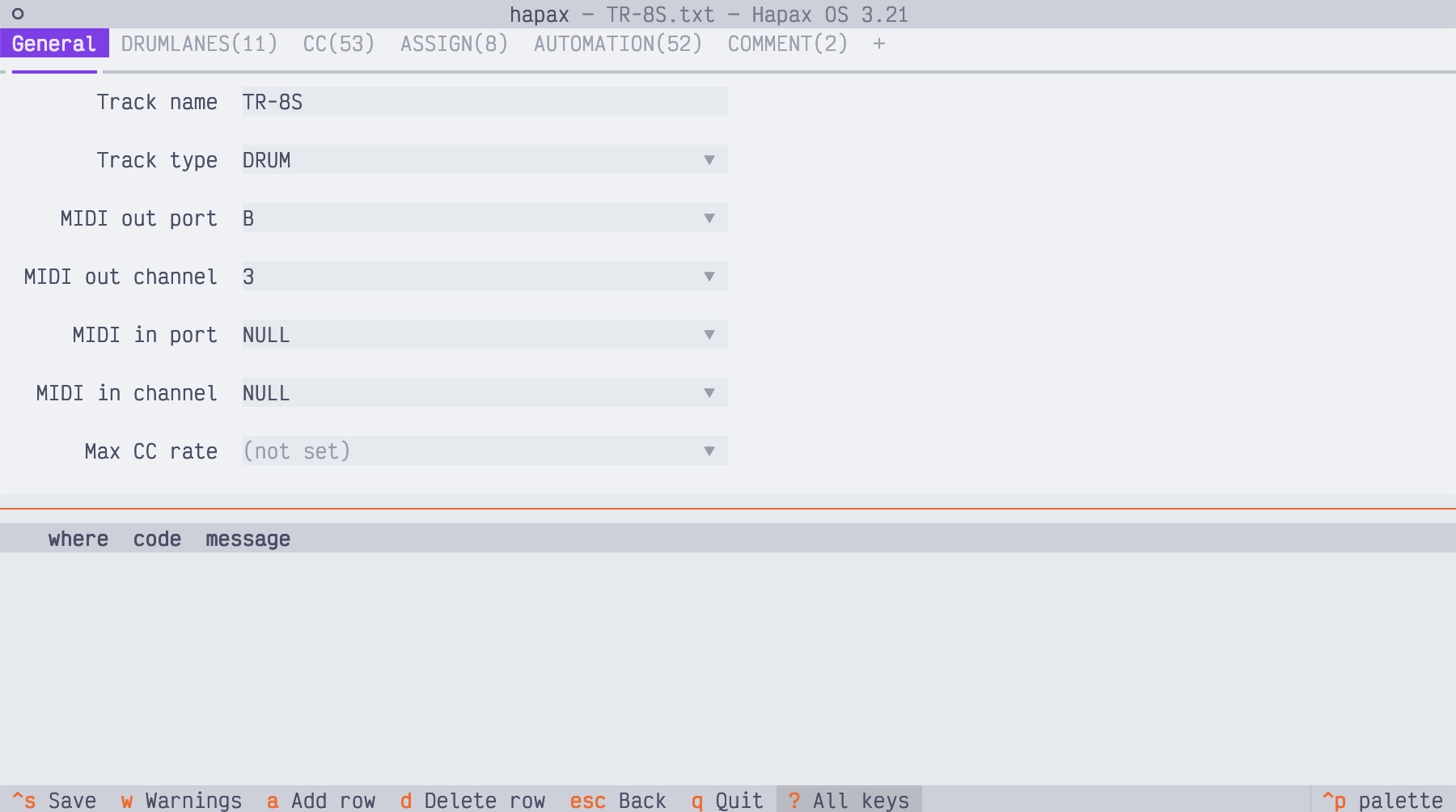
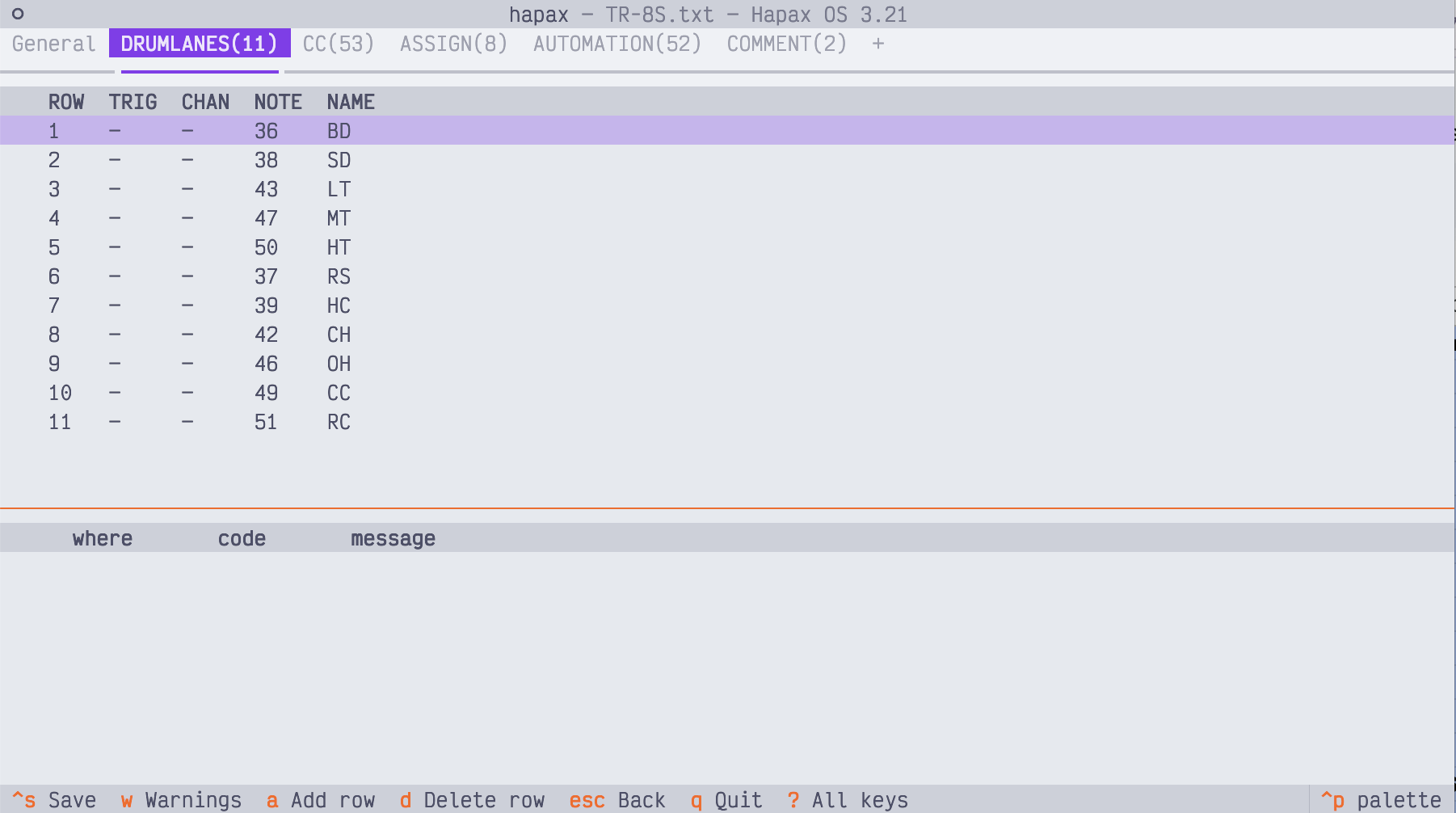
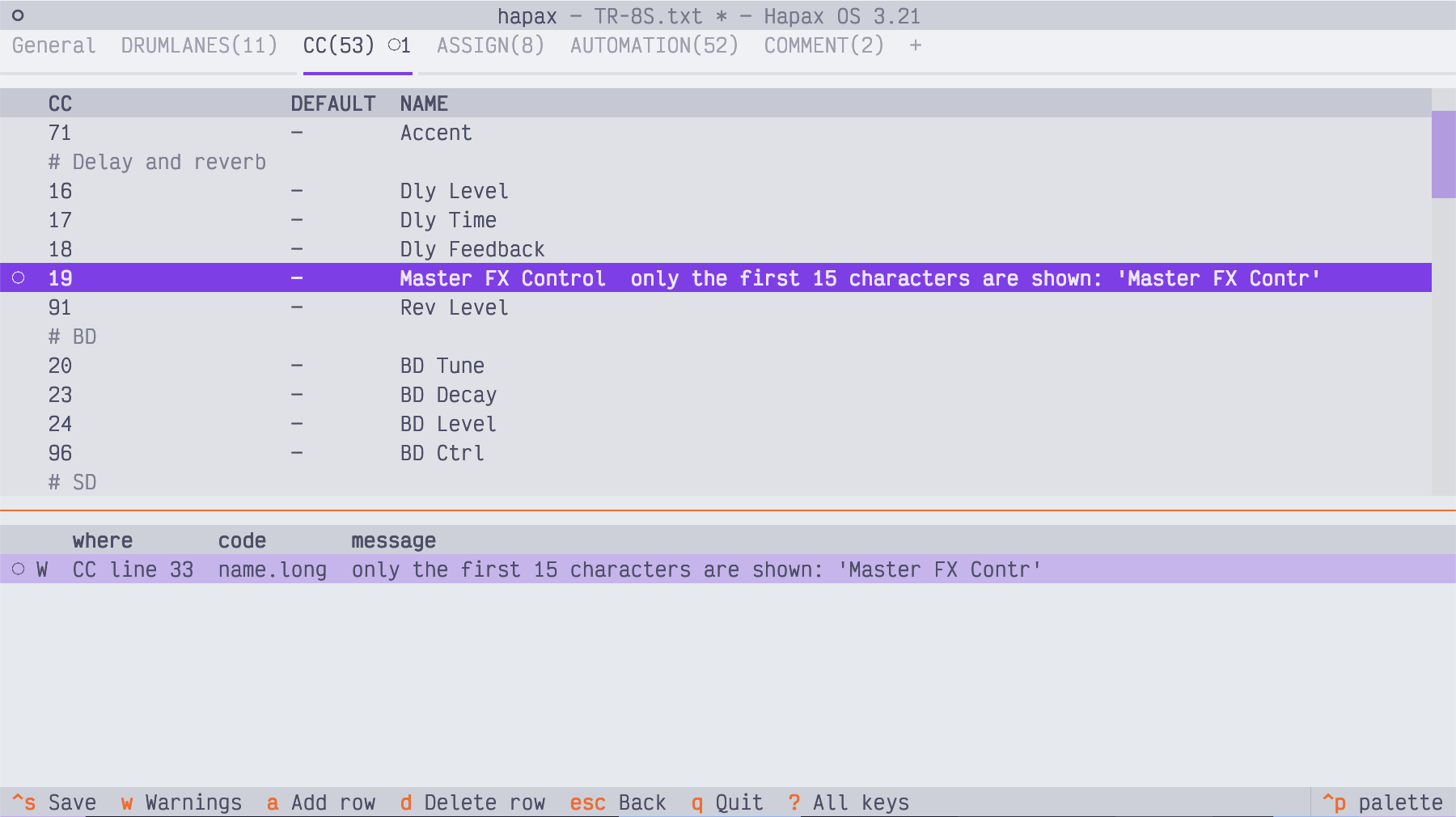
Problems show up as you edit, for example a name too long for the Hapax display:
hapax-lsp brings the same checks into your text editor, with highlighting and completion.
I’ve only tested it in Neovim so far. If you try it somewhere else, let me know how it goes.
Install instructions are in each repo’s README. Bug reports and firmware quirks I’ve missed are welcome on GitHub issues.