Good afternoon,
Using OS 3.22
My HAPAX clock is slaved to Ableton live with the audio synchronization method and audio file described in the manual (Audio out from Live to Hapax CV In 1).
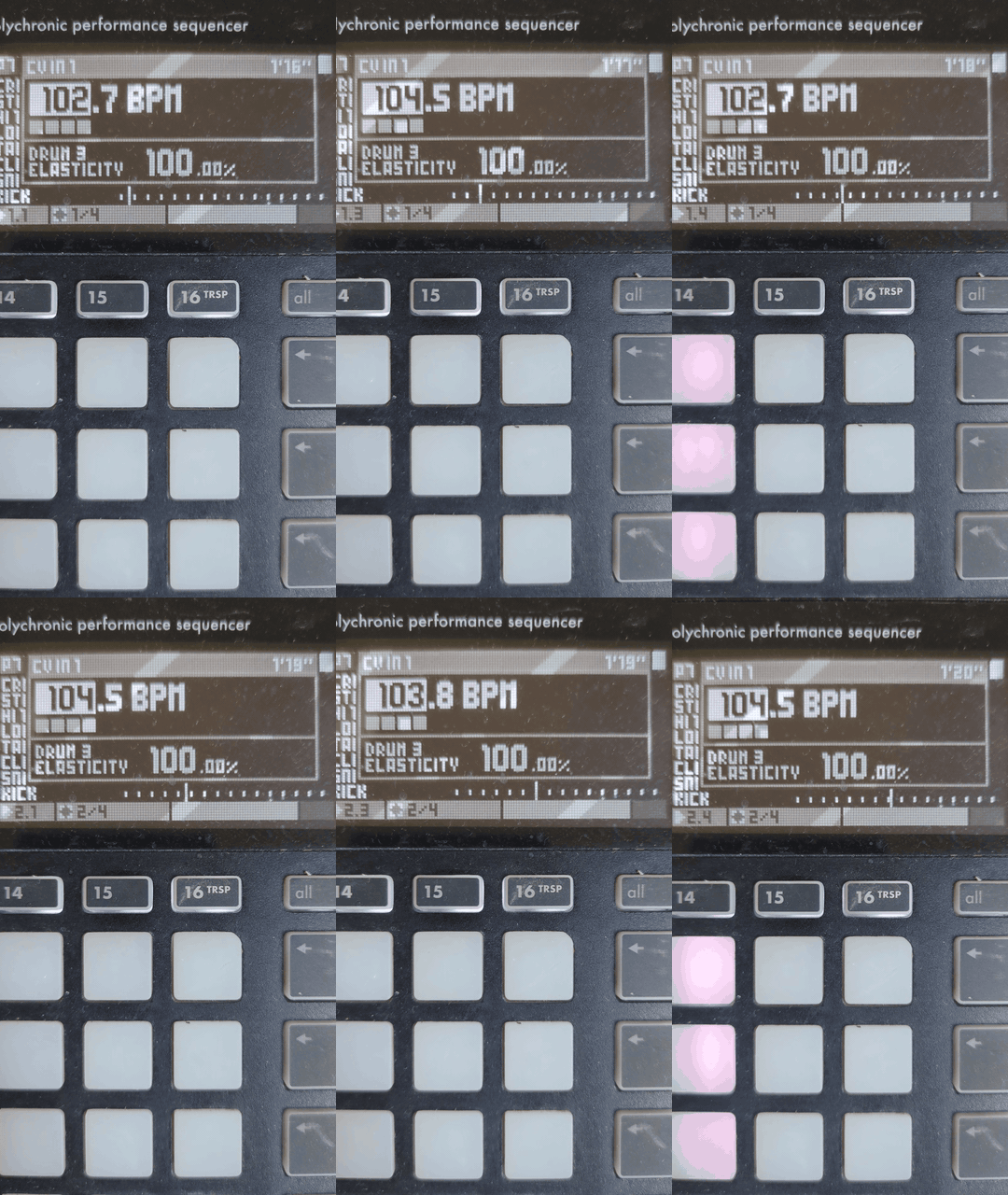
When the “CV Follow tempo” setting is “On” in Sync Input settings, there is a flickering in the BPM display, see image below for 104 bpm.
As I mentioned, Midi is aligned.
I tested a track for a couple of hours with a 1 note per beat pattern versus live metronome and no gap, sonically.
I even tested with the max possible ppqn, same result.
I’ll be curious to understand what is causing these miscalculations.
i get a similar flicker on my Deluge OLED BPM counter,when it’s receiving clock from Logic. freaked me out at first but doesn’t seem to affect actual playback speed
Just to report the response I received from Squarp.
The flickering is caused by the BPM being recalculated on the fly and then sensitive to audio pulse fluctuations, while the sequencer stays in sync, as my 2 hours test demonstrated.
They took note to smooth the display in a future update.
If by flicker you mean the value jumps, that’s pretty much the same as on any other device. I don’t believe it’s possible to smoothen that (across the whole BPM range) unless you accept the values being something like 2 or 3 seconds late.
Additionally, I recommend using a plugin to sync instead of the audio file method, and much higher clock rate. That will provide a smoother experience.
Thanks,
I gave a try to your SyncUnit plugin, but I hardly see a difference with the audio file method. I still have the BPM fluctuation.
I also tried both solutions @ 96 ppqn but it does not change anything.
Note: The (negative) Track delay necessary to record back in Live with the most accurate beat synchronization is the same in both cases (- 32 ms in my case or more exactly -1 529 samples, which i find a bit too much given that my RME UCX soundcard has a ~2 to 4 ms output latency @ 64 samples but that is another story).
Which solutions ?
I gave a try to the CV Clock Out audio effect in Live but it requires a -60 ms Track Delay so it’s a no go for me.
I had a Drum track with one Kick per beat, playing on a drum rack in Live.
Then I recorded a clip in the Live track with Record quantization = No quantization, and adjusted the track delay until the recorded clip was correctly aligned to the grid.
I used USB device from Hapax to host, and did not use compensation in Hapax settings.
Note: There may be some subtle variations at some times, and i understand this could be due to Live audio processing (ex. which plugin you have in the main output), maybe.
I did not investigate further since i will probably use recording quantization in real life scenarios.